Top 3 Ways to Center a DIV with CSS
The most difficult things a web developer ever has to do is center a div both horizontally and vertical with CSS
There are hundreds of ways to get the job done
- Absoulute Position Hack
- Grid Place Items.
- Flexbox Align & Jusfity
- Table Layout
- Box padding hack
- Flex AutoMargins
- Ch Padding Hack
- Manual Transform
- Trust Use a Canvas
- Adobe Flash
- Use a Raster Image

Top 3 Ways to Center a DIV with CSS
- Absolute positioning
- Flexbox
- Grid Layout
The classic approach is to use Absolute Positioning. Positioning an element absolutely is more about the element's container position than its own. To be able to position itself, it has to know which parent div it’s going to position itself relative to...

<article>
<div class="classic">😎</div>
</article>
.classic {
position: absolute;
top:50%;
left:50%;
transfer:
-translate(-50%,-50%);
}

Then move it down and to the right by 50% by using the top and left properties
Then move it back the other direction by translating it 50% this confusing hack was the gold standard until flexbox
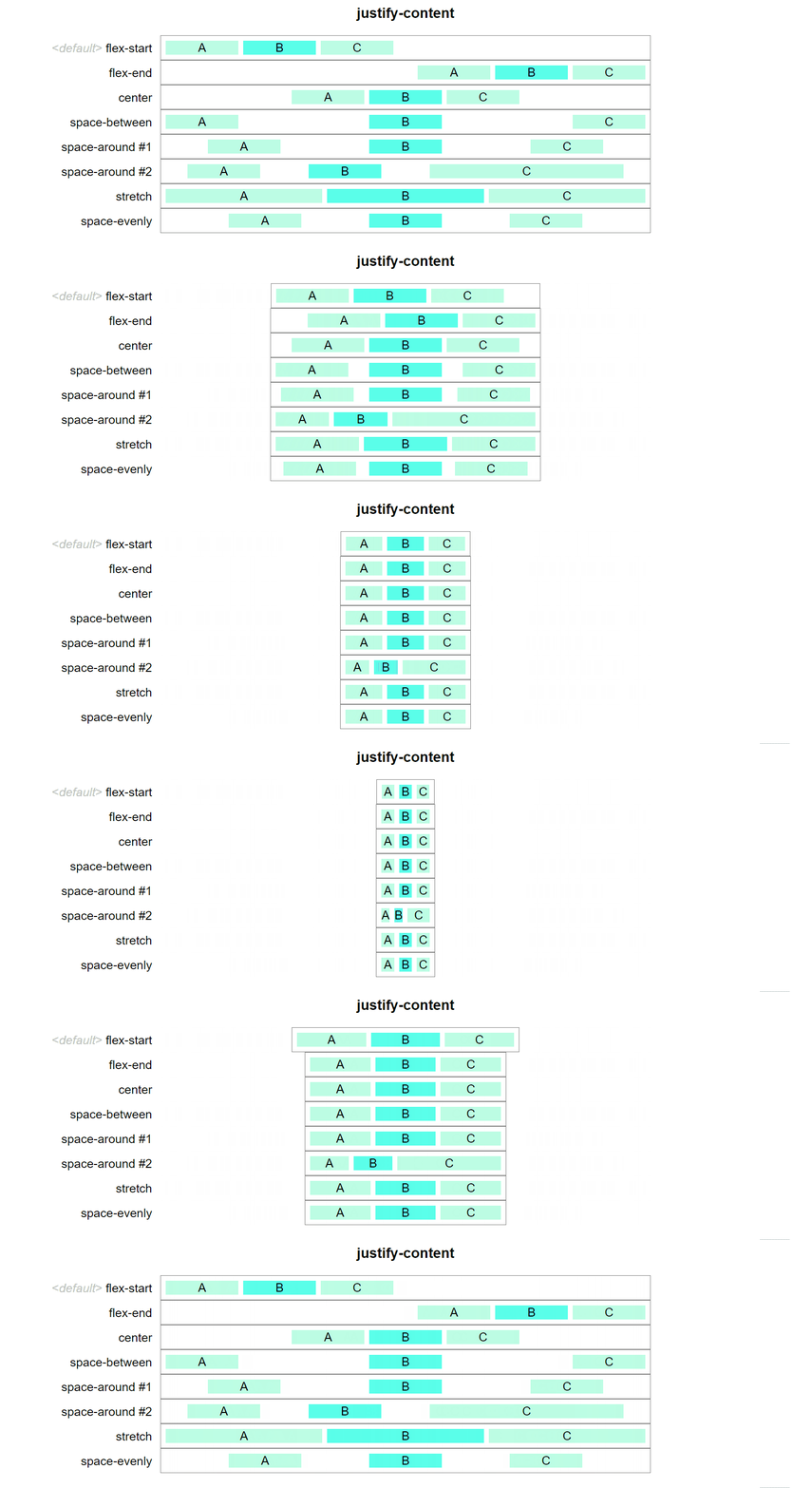
Flexbox came around where we can make the parent div a flexible column or row. The Flexible Box Layout Module makes it easier to design a flexible responsive layout structure without using float or positioning...
<article class="flex">
<div>😎</div>
</article>
.flex {
display: flex;
align-item: center;
justify-content: center;
}

Grid Layout excels at dividing a page into major regions or defining the relationship in terms of size, position, and layer, between parts of a control built from HTML primitives. Like tables...
<article class="grid">
<div>😎</div>
</article>
.grid {
display: grid;
place-item: center;
}

To find the parent div as a grid and then tell it to place the items in the center
Thank you
(Written and edited by vikram)
Comments
Post a Comment